Procolored Knowledge Base
This is our printing knowledge base and resource center for all users. This guide will help you quickly understand and efficiently use the Procolored Wiki.
Procolored Wiki is an online documentation platform for inkjet printer users, designed to provide detailed product manuals, troubleshooting guides, software tutorials, upgrade instructions, community discussions, and the latest product news. Whether you're a beginner or an experienced user, you'll find the information you need to get the most out of your Procolored printers and other products.
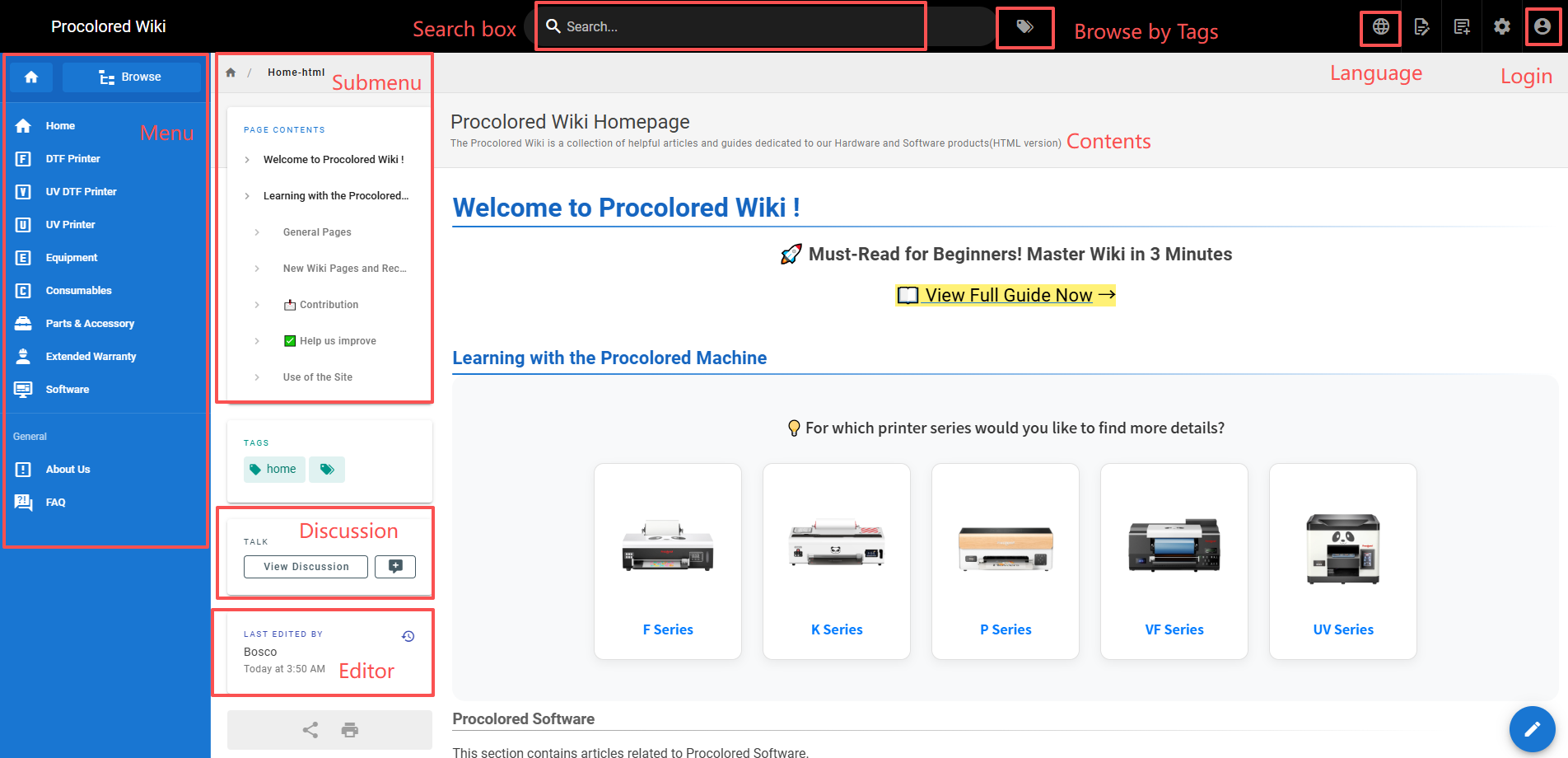
The upper function bar of the Wiki homepage contains the search box, browse by tags, language settings and personal account functions. The lower part of the bar, from left to right, contains the menu, submenu, discussion, editor, and contents.
In addition to accessing the Wiki homepage by searching for Official Wiki Link, you can also access it in the following ways.
Once on the Procolored official website, you can scroll down to the bottom of the page to find the official Wiki.
When you encounter printer-related problems, you can go to the wiki homepage on your own to search for the problem you want to know about and check for related solutions.
In the Wiki homepage, you can use the following methods to find the information you want to know:
Search box: Quickly find relevant content by entering keywords.
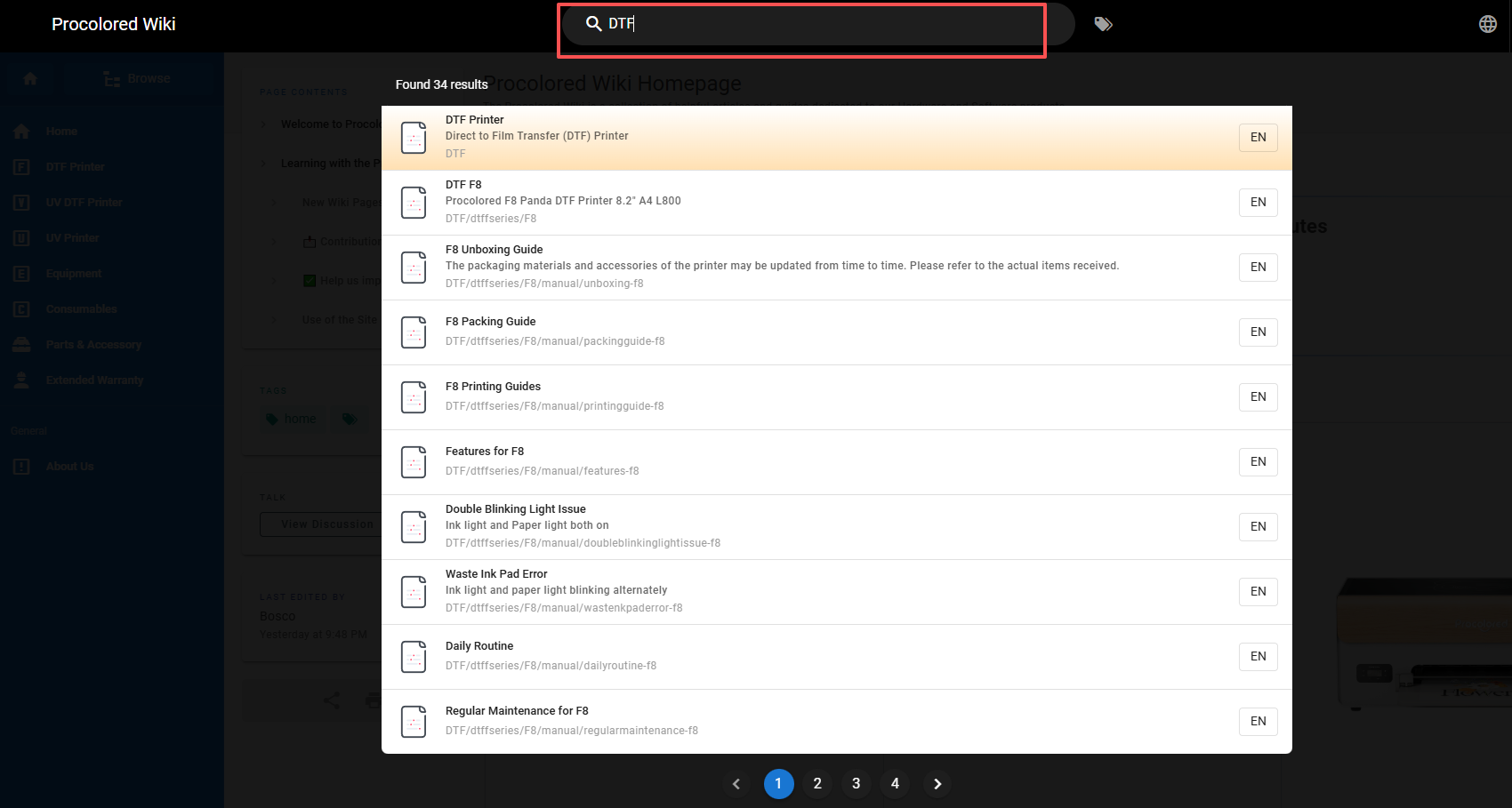
Browse by Tags: Categorized according to topics, products or functions.

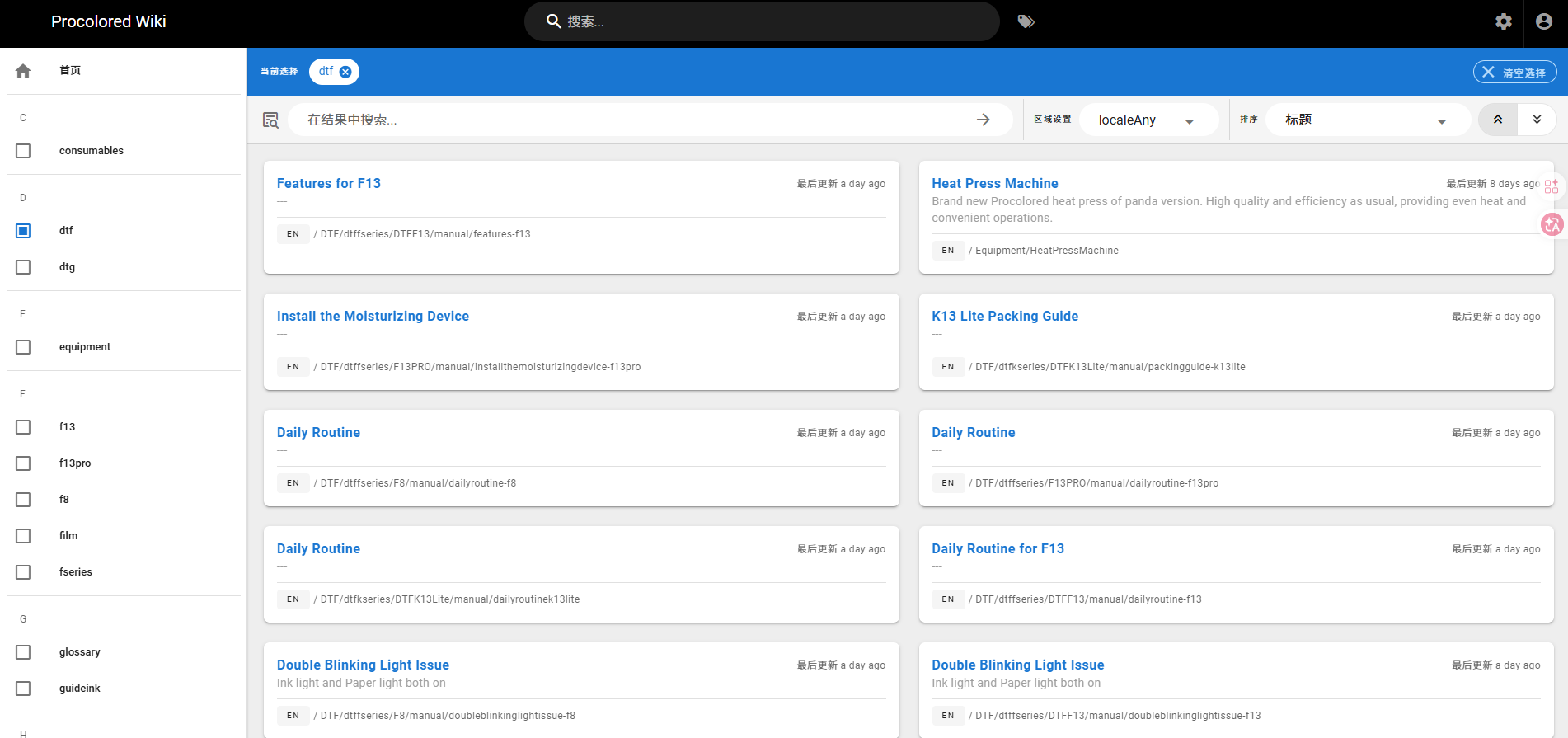
You can browse by tags by clicking on the Browse by Tags icon to the right of the search box at the top of the page to enter the tags search interface and select the tag you are interested in. For example, if you want to learn about “DTF”, you can select the “DTF” tag.
Once you select a tag, the page will display all articles and content related to that tag. You can browse through the content to find the information you need.