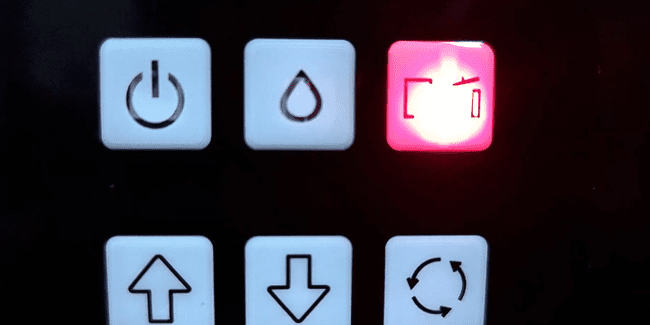
 01If ink and paper lights flash alternately, the waste ink pad is near end of life and needs replacement. |
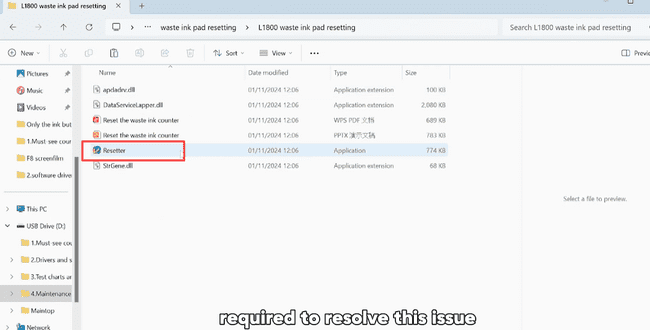 02Waste ink pad reset software is required to resolve this issue. |
 03Contact our after-sales support team or technical staff to obtain the software. |
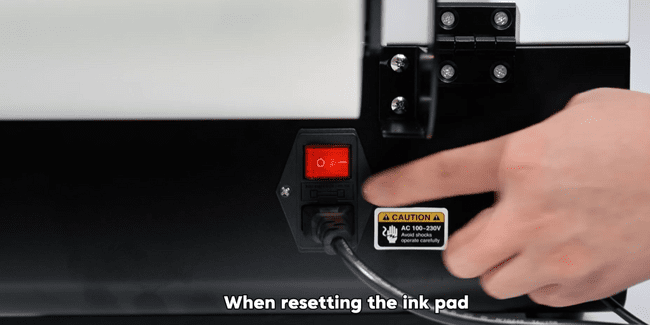 04Ensure the printer is powered on and connected to your computer during reset. |
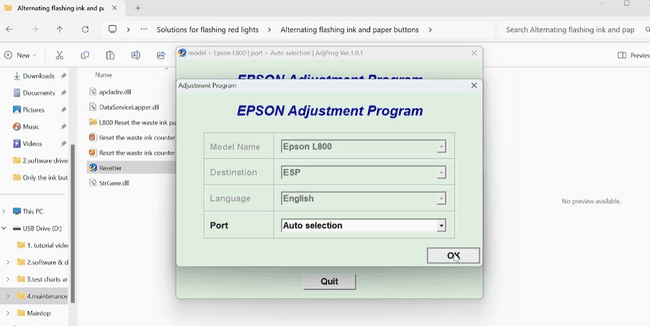
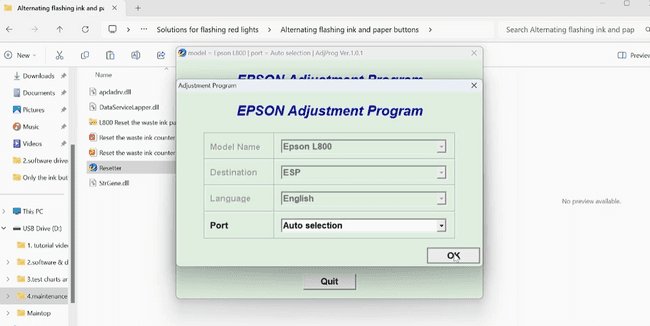
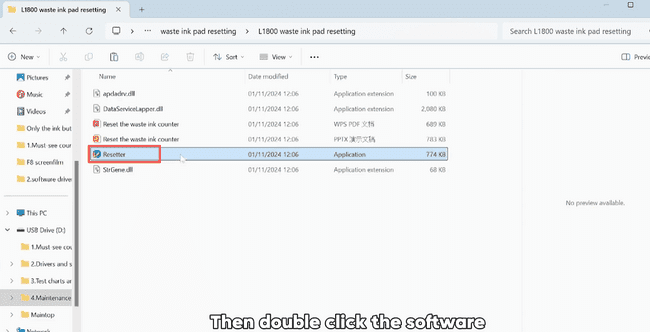 05Double-click the software to perform the waste ink pad reset. |
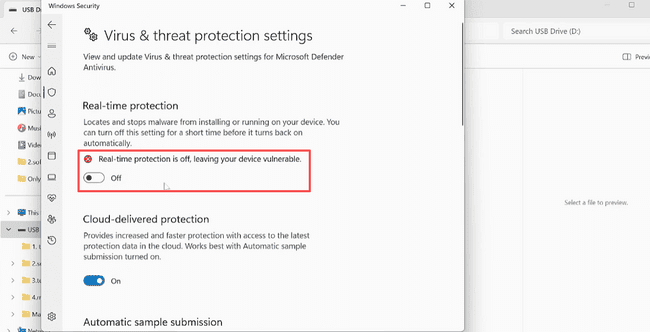 06If blocked by antivirus, disable Windows Real-time Protection temporarily. |
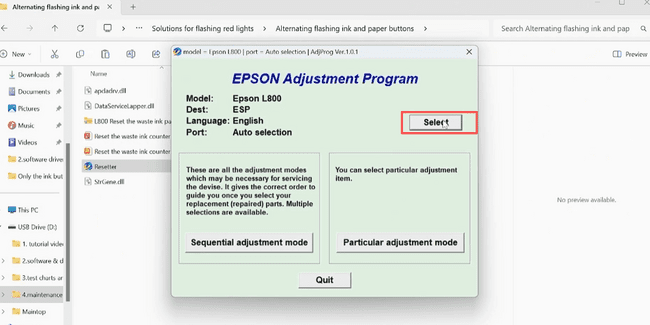 07Select your printer model. |
|
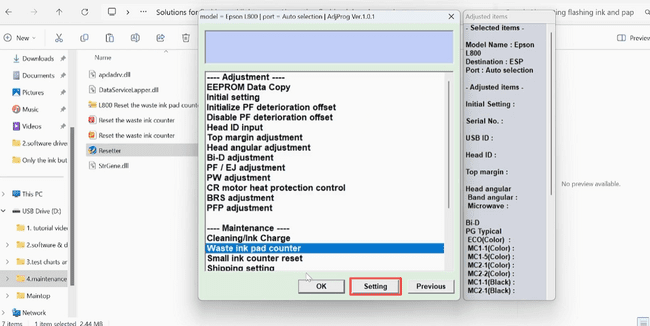
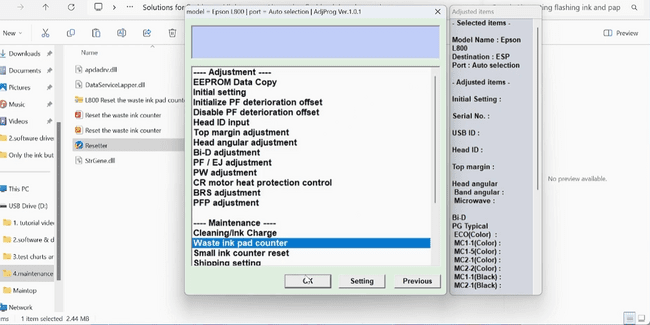
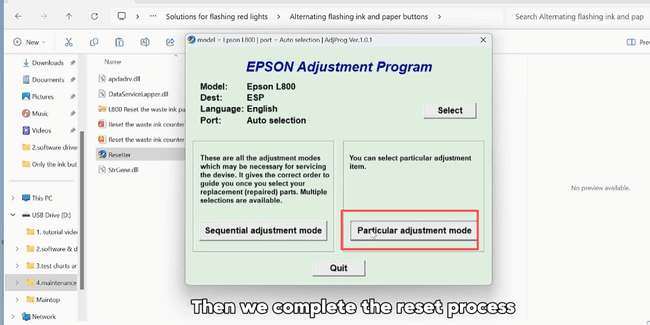 09Click Particular adjustment mode. |
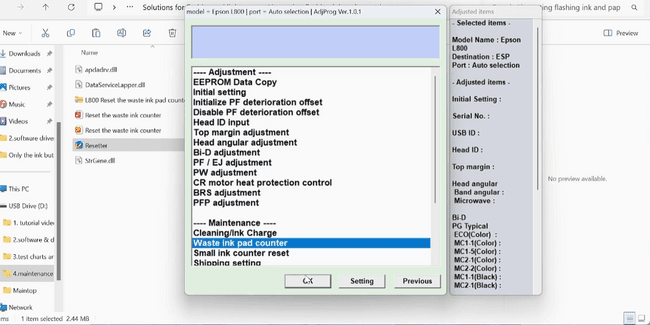 10Choose Waste ink pad counter. |
|
|
|
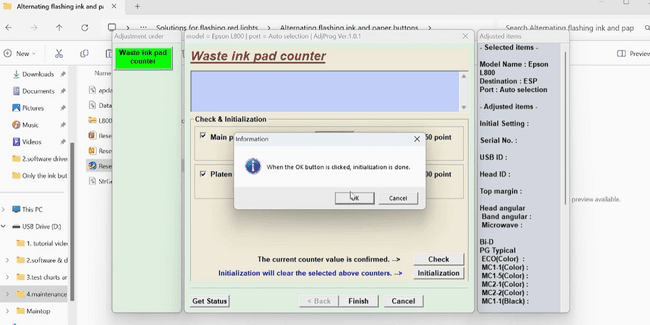
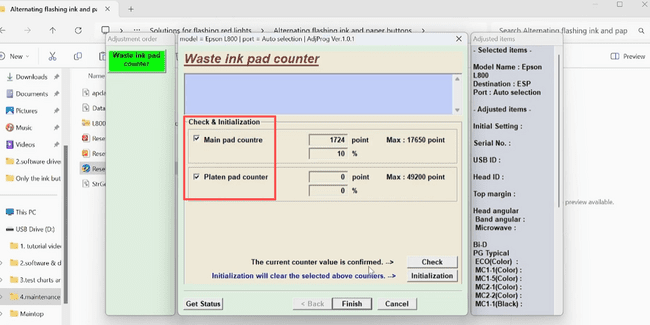 14Select the two options and click Check. |
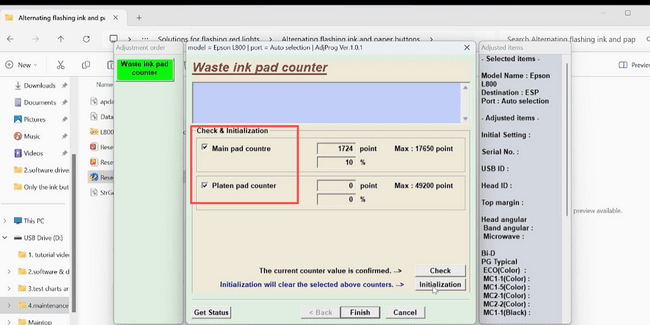 15Select the two options and click Initialize. |
|
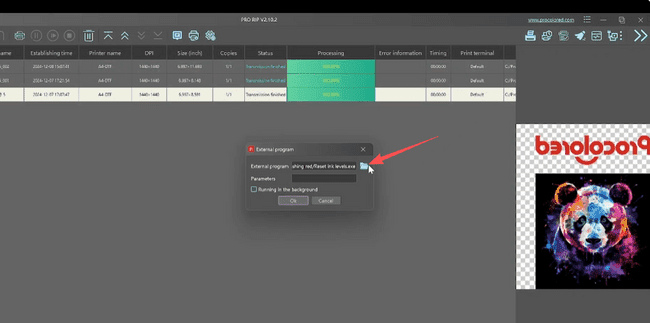
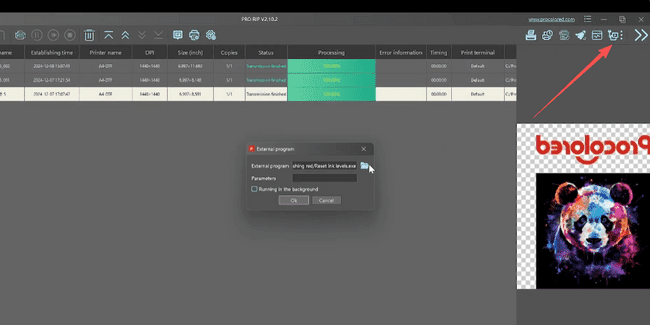 17Add the software as a shortcut in Pro RIP for quick access. Open External Program. |
|
|
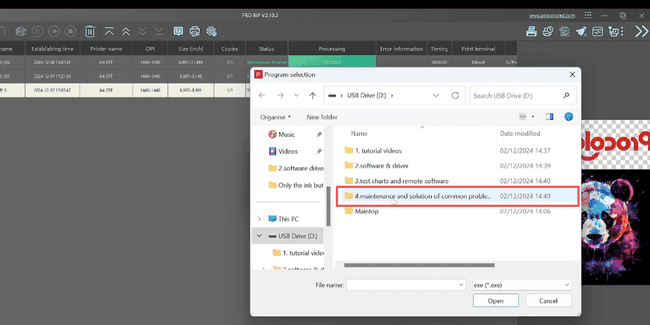
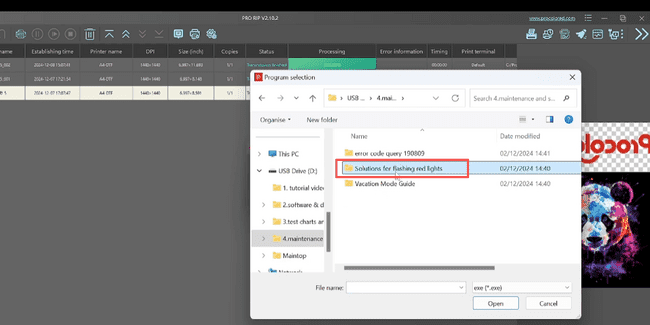 20Open the Solutions for flashing red lights folder. |
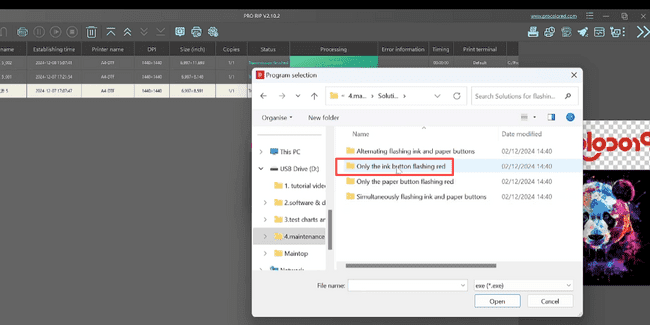 21Open the ink button flash red folder. |
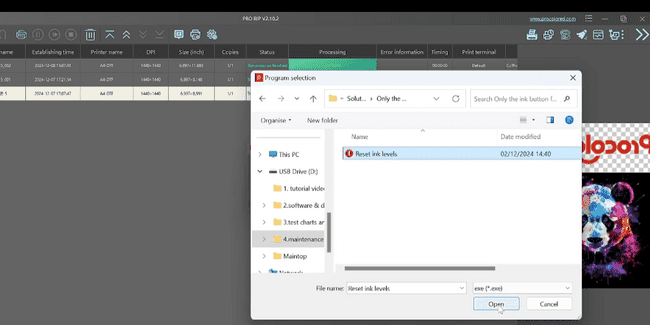 22Choose Reset ink levels and open it. |
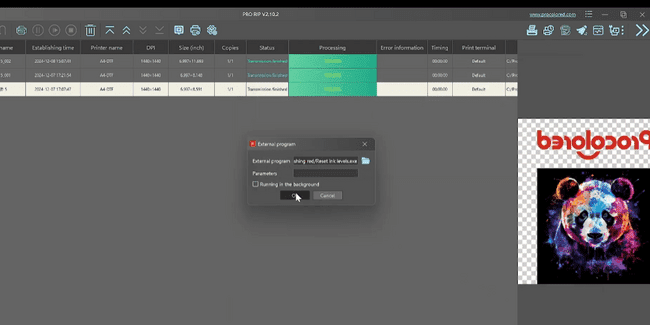 23Click OK to complete the process. |
|